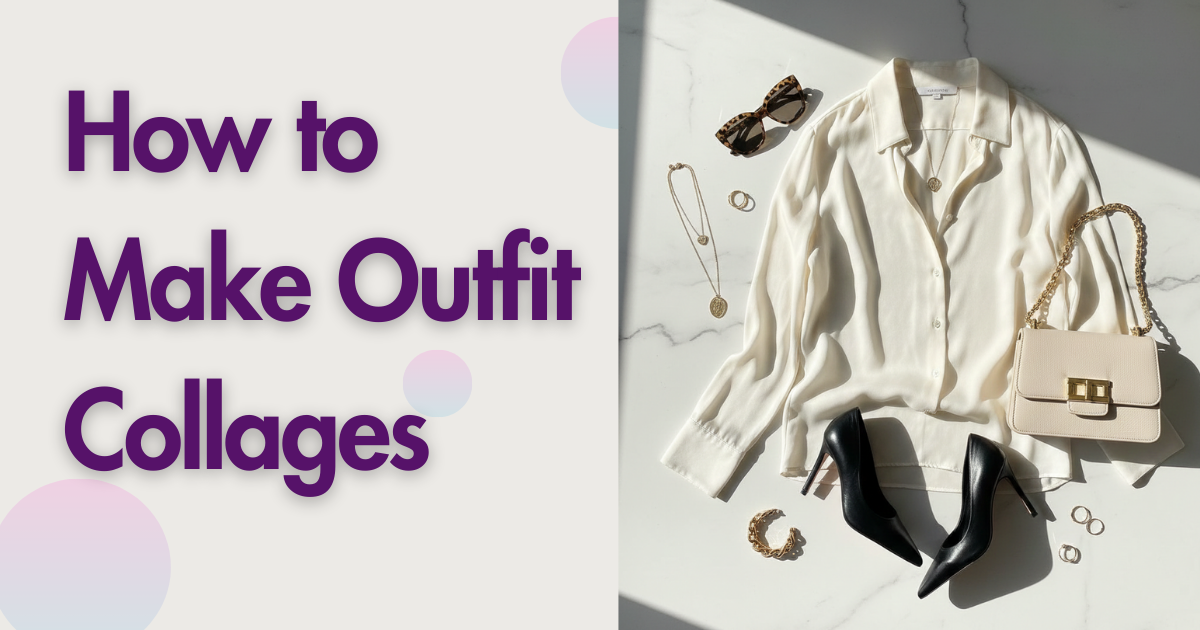
Looking for the best way to create outfit collages? Here are your options:
- For moodboards: Fits or ShopLook
- For Instagram: Canva Pro
- For planning purchases: Wontsy
You've probably seen them everywhere—those perfectly arranged outfit collages on Pinterest and Instagram. Clothes floating on white backgrounds, styled together to show how pieces work as a complete look. Maybe you want to create them yourself, either for social media or just to plan what to buy.
The good news: you don't need Photoshop skills. Several apps make this easy, though they serve different purposes. Some are for creating content, others for actually planning your wardrobe or purchases.
If you remember Polyvore—the original outfit collage platform—you're not alone. It shut down in 2018, and people have been searching for alternatives ever since.
What Is an Outfit Collage?
An outfit collage is a visual arrangement of clothing items and accessories on a single canvas. Instead of showing clothes on a model or in a flat lay photo, the items are cut out (background removed) and positioned together to show how they'd work as an outfit.
People create outfit collages for different reasons:
- Fashion content – Influencers and bloggers create them for Instagram, Pinterest, and TikTok
- Personal planning – Deciding what to wear or what goes together in your closet
- Shopping decisions – Seeing if items from different stores work together before buying
- Moodboards – Visualizing a style direction or aesthetic
The method you should use depends on your goal. If you're creating content for social media, you need polished results with templates. If you're planning actual purchases, you need something that connects to real products you can buy.
How Influencers Make Outfit Collages
Ever wondered how fashion influencers create those clean, professional-looking outfit collages? Here's what most of them actually use:
Canva Pro
The most common tool for polished results. Canva's background removal feature (Pro subscription required) lets you cut out clothes from product images. Then you arrange them on templates designed for Instagram or Pinterest. The downside: it's $13/month and requires manual work for each image.
Specialized Apps (Fits, ShopLook)
Apps built specifically for outfit collages handle background removal automatically. You add product images, the app removes backgrounds, and you arrange pieces on a canvas. These are faster than Canva for high-volume creators.
Shuffles by Pinterest
Pinterest's own collage app lets you create animated sets and post directly to Pinterest. Good if Pinterest is your main platform, though it's more general-purpose than fashion-specific.
The Manual Method
Some creators still use Photoshop or Procreate for full control. This takes longer but allows custom effects, shadows, and styling that apps can't replicate. Usually reserved for high-end content or brand collaborations.
Best Outfit Collage Apps in 2026
Fits
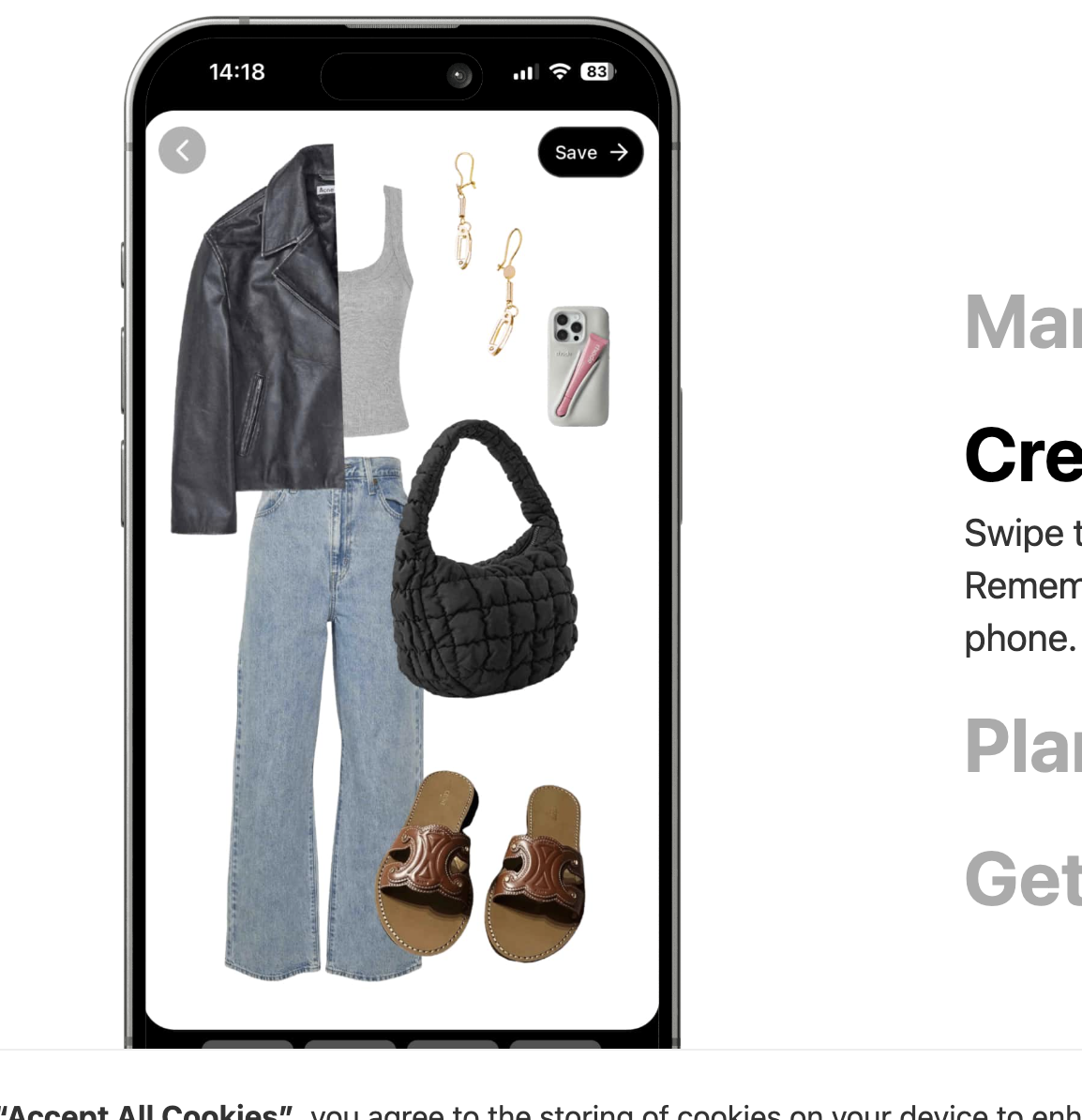
Fits launched in 2023 and quickly became the go-to Polyvore replacement. It automatically removes backgrounds from clothing images and has a community database of products. You can create collages, get AI outfit suggestions, and even virtually try on looks. The social features let you share and browse other users' creations.
ShopLook
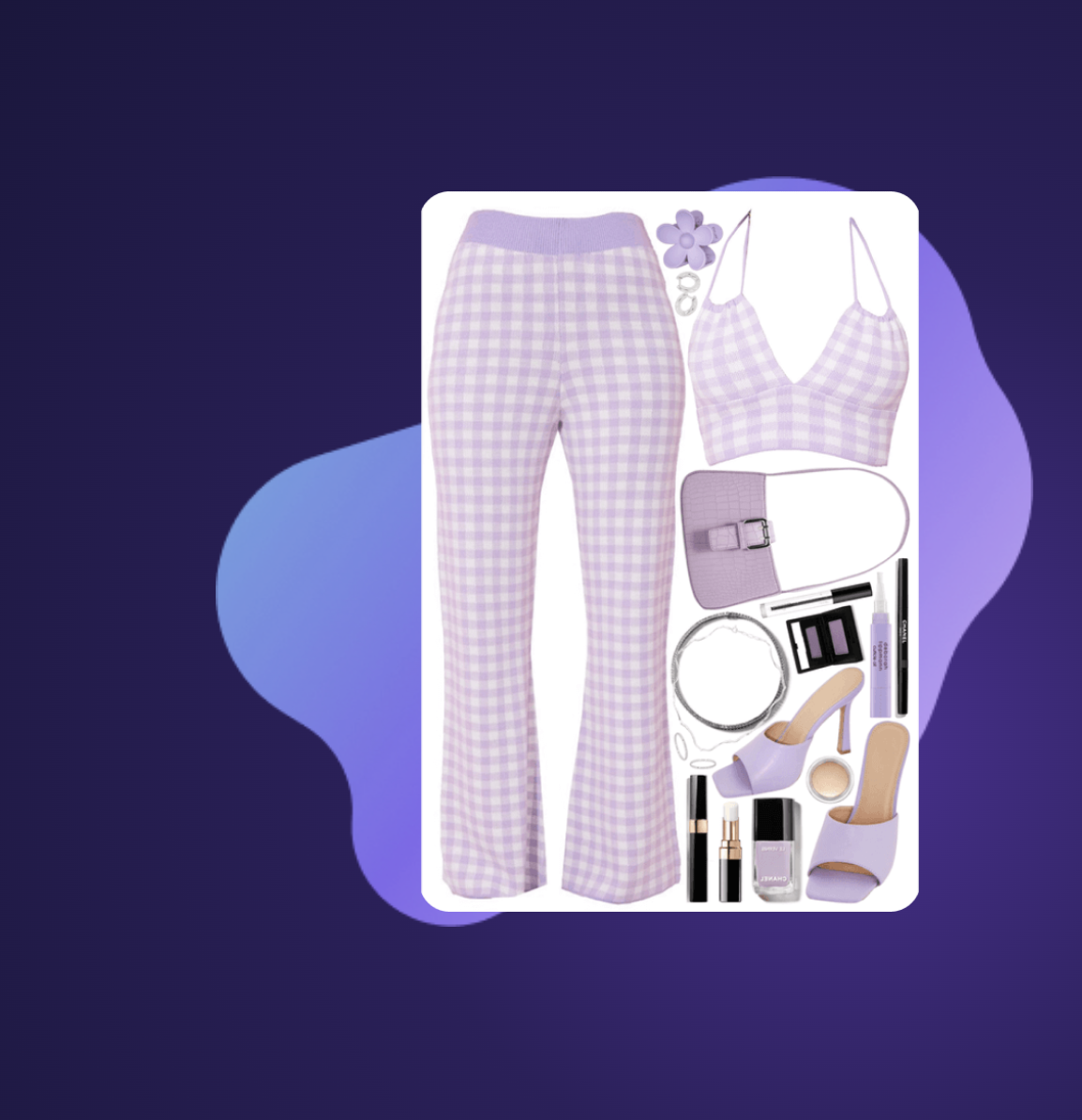
ShopLook is often called the most direct Polyvore successor. It's a free-form canvas where you can create moodboards using product images from millions of brands or upload your own. The drag-and-drop editor feels familiar if you used Polyvore, and the web version means you can create on desktop.
Canva
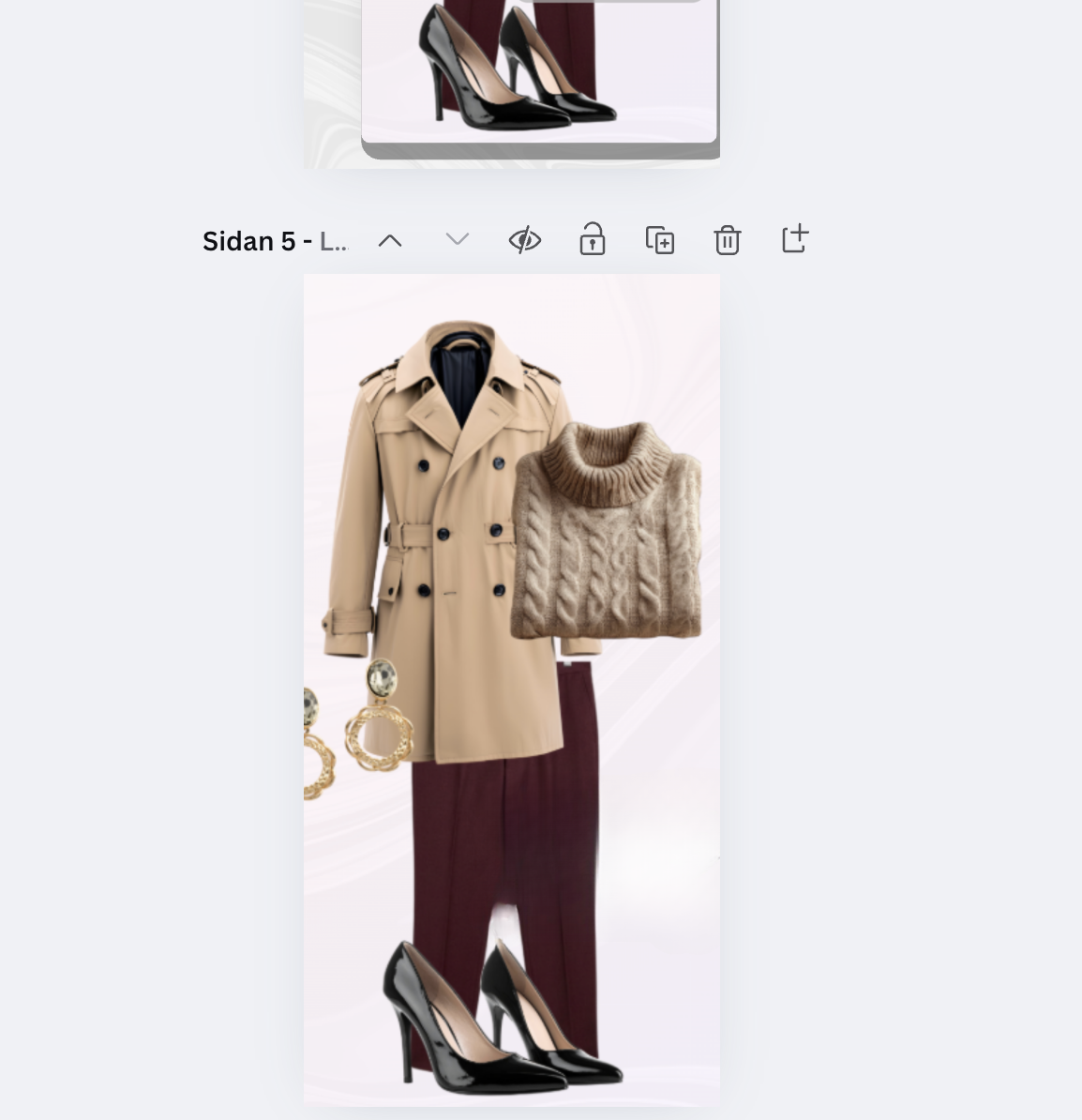
Canva isn't fashion-specific, but it's surprisingly capable for outfit collages if you have Pro. The background removal tool is fast, and you get access to thousands of templates optimized for Instagram and Pinterest. The learning curve is low if you've used any design tool before. Main drawback: no clothing database, so you need to find and upload all images yourself.
Wontsy
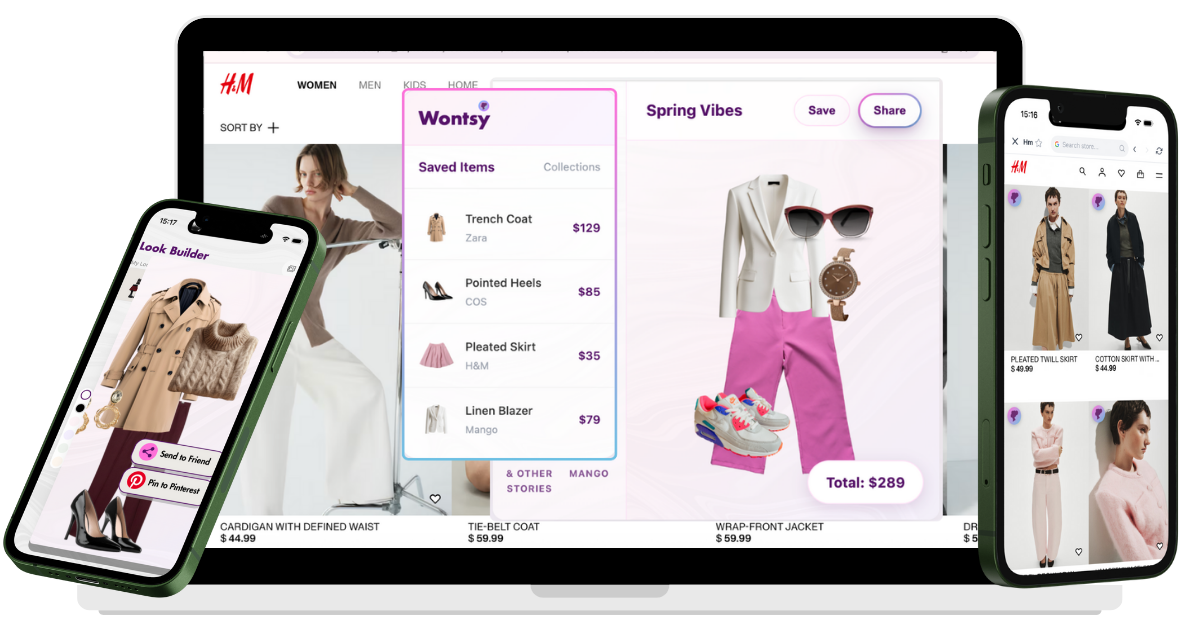
Full disclosure: this is us. Wontsy takes a different approach—instead of creating collages from a database, you save actual items while shopping online and then arrange them into outfits. The outfit builder lets you drag and drop saved pieces to see how they work together before you buy. If your goal is planning purchases rather than creating content, this is more practical than moodboard apps.
Quick Comparison
| App | Best For | Background Removal | Price | Platforms |
|---|---|---|---|---|
| Fits | Polyvore-style moodboards | Automatic | Free / Premium | iOS |
| ShopLook | Free moodboard creation | Included | Free | Web, iOS, Android |
| Canva | Professional content | Pro only | $13/month | Web, iOS, Android |
| Wontsy | Planning purchases | N/A | Free | All platforms |
The key question: Are you creating content for others to see, or planning outfits for yourself? Moodboard apps are better for content. Wontsy is better if you're actually deciding what to buy.
How to Create an Outfit Collage (Step-by-Step)
Here's a quick method using Wontsy to plan outfits from items you're actually shopping for:
Install the browser extension
Add Wontsy to Chrome or Safari. This lets you save items from any online store with one click.
Save items while browsing
When you see something you like on Zara, H&M, ASOS, or anywhere else—click the save button. The item goes to your wishlist with price, image, and link.
Open the outfit builder
Go to your Wontsy dashboard and open the Look Builder. You'll see all your saved items ready to arrange.
Drag and drop to create looks
Pull items onto the canvas and arrange them. See how that Zara blazer works with those H&M trousers before buying either.
Save or share your look
Save the outfit to your collection. Share with friends if you want opinions before purchasing.
Stop buying pieces that don't go with anything. Plan outfits from items you're actually shopping for.
Try Wontsy FreeFrequently Asked Questions
Is there an app that lets you put outfits together?
Yes, several apps let you create outfit collages. Fits and ShopLook are popular for moodboard-style collages. Wontsy lets you save items while shopping and arrange them into outfits to plan purchases. Canva works too but requires a Pro subscription for background removal.
How do influencers make outfit collages?
Most use Canva Pro for background removal and templates, or specialized apps like Fits that handle backgrounds automatically. Some use Shuffles by Pinterest for animated collages. The key steps: remove backgrounds from product images, arrange on a clean canvas, add consistent styling.
What is the 3-3-3 rule for outfits?
The 3-3-3 rule is a capsule wardrobe formula: pick 3 tops, 3 bottoms, and 3 pairs of shoes that mix and match. This creates up to 27 unique outfit combinations (3 x 3 x 3). It was popularized by TikToker Rachel Spencer (@rachspeed) and helps reduce decision fatigue while maximizing outfit options.
What is the 70/30 wardrobe rule?
The 70/30 rule suggests your wardrobe should be 70% basics and staples (well-fitting jeans, white tees, classic blazers) and 30% statement or trendy pieces. This ensures you always have something to wear because basics pair with everything. The statement pieces add personality without creating a closet full of things that don't match. Michael Kors popularized this concept.
What happened to Polyvore?
Polyvore was acquired by SSENSE and shut down in April 2018. The platform had been the go-to for outfit collages since 2007. The sudden closure left users scrambling, and many alternatives (Fits, ShopLook, URSTYLE) launched to fill the gap. None are exact replicas, but they offer similar functionality.
Is Indyx or Whering better for outfit planning?
Both are wardrobe apps for clothes you already own, not for shopping. Whering focuses on sustainability with cost-per-wear tracking and is completely free. Indyx combines AI with human stylists for personalized suggestions. If you want to plan outfits from items you're shopping for (not owned), use Wontsy instead.